Case Study·Financial Operations·2026

Reconciliation

Product Designer
Juspay · Hyperswitch
Exception Resolution
Scroll
/01 Why Reconciliation Exists

One transaction. Multiple versions of the truth.

When a customer makes a payment, merchants, payment providers, and banks each record their own version of the same transaction.

OMS
Merchant records it
PSP (Adyen)
Provider settles it
Bank
Bank receives it

As transaction volumes grow, even small discrepancies become difficult to investigate at scale, so reconciliation solves this by comparing each system against another and verifying that every version tells the same story about where the money went.

Layer 1
OMS
What we recorded
PSP (Adyen)
What Adyen settled
Match or Exception
If they agree → matched ✓
Layer 2
PSP (Adyen)
What Adyen sent
Bank
What bank received
Match or Exception
If they agree → matched ✓

Accounts are paired using a common identifier, such as an Order ID or Batch ID, and validated against a predefined rule set. Depending on how the transaction flows through each system, a single transaction may span multiple accounts and many underlying entries.

/02 What's an Exception

Sometimes the records don't agree.

When two records don't agree, an exception is created. That's where the investigation begins.

OMS
What we recorded
PSP (Adyen)
What Adyen settled
Exception
Records don't agree

Although every exception may look similar on the surface, the reason behind them can be entirely different requiring different investigation and resolution paths.

₹ 1,000 ₹ 999
Amount mismatch
Numbers don't match
USD EUR
Currency mismatch
Different currencies
Debit Credit
Balance direction
Debit vs credit flipped
REF: ORD-001 REF: ORD-01
Metadata mismatch
Reference fields differ
entry vs
Missing entry
One side has no record
?
Unknown
Can't be categorised
/03 Why Resolution Slows Down

One mismatch can hide many different stories.

The mismatch type only tells part of the story. Understanding how accounts and entries are connected is what determines how it's resolved.

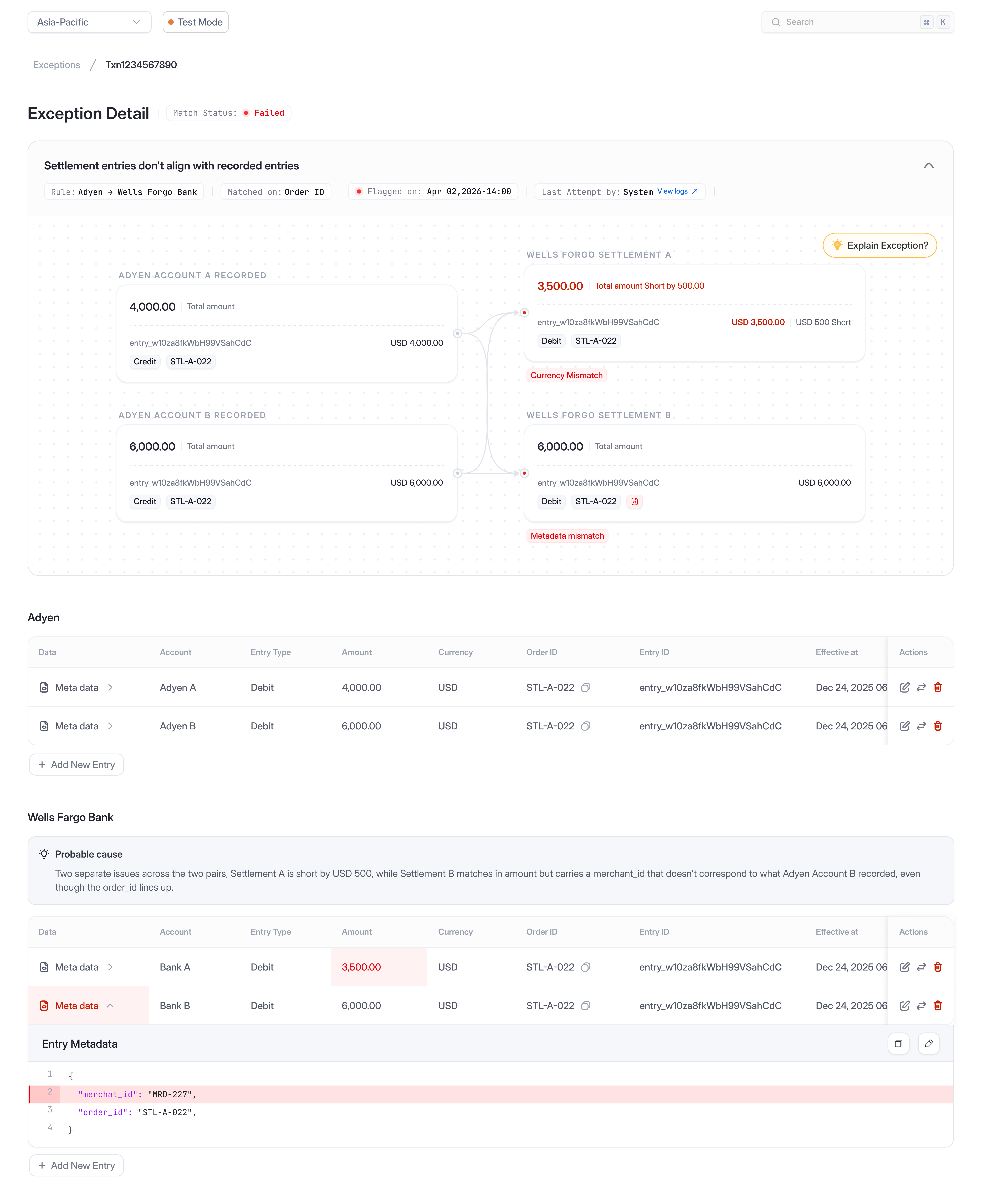
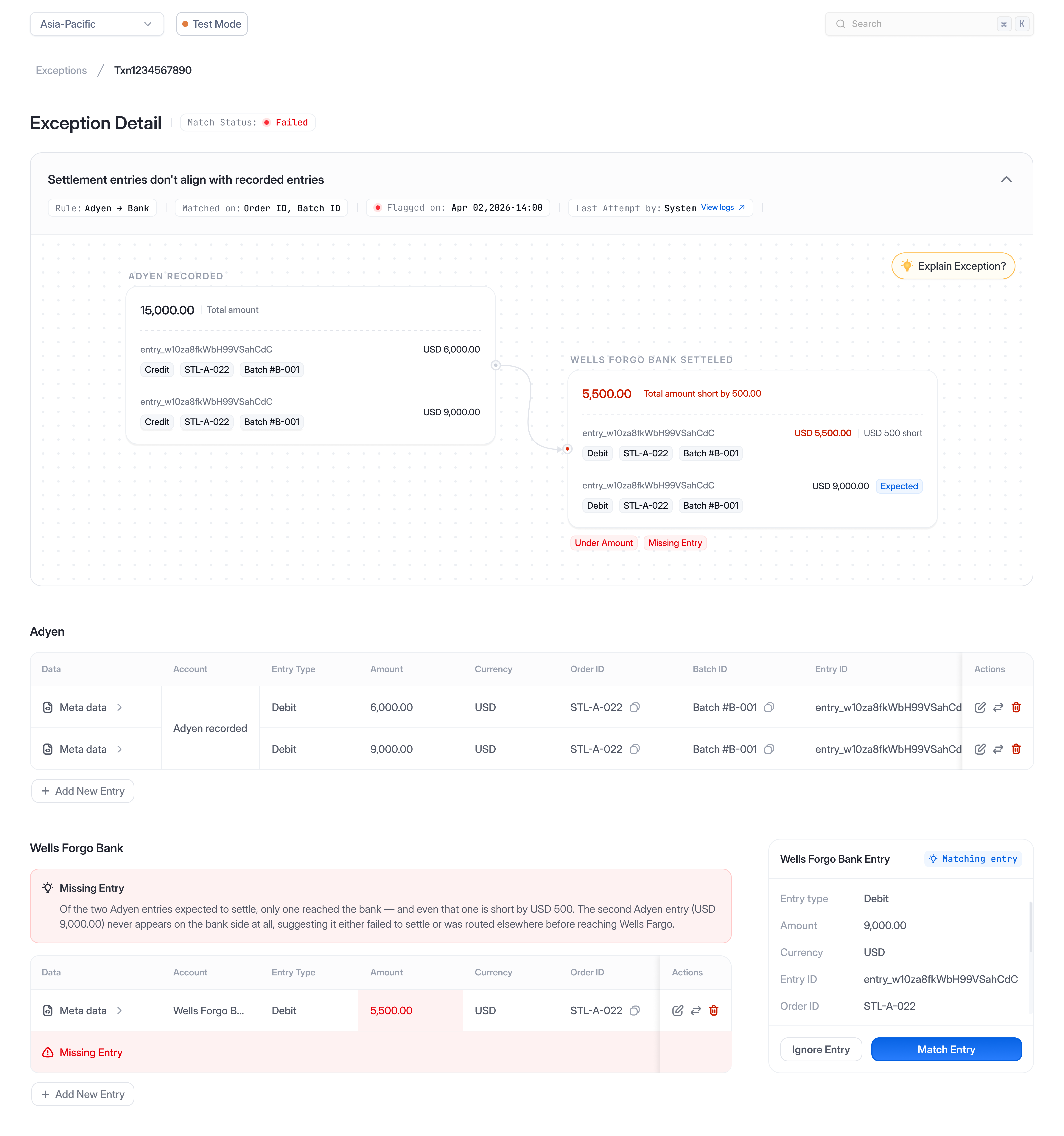
Transactions don't always map one-to-one. A single order can split into multiple settlement entries, while several orders can eventually settle into one bank record. That means two exceptions with the same mismatch reason can have entirely different structures underneath.

Before they can act, analysts first need to reconstruct how those accounts and entries relate to one another.

One-to-one
One order matches one settlement entry. The simplest and most common case.
One-to-many
One order splits into multiple settlement entries, such as capture, fee, and refund.
Many-to-one
Multiple orders settle into a single bank entry, usually through batching.
Many-to-many
Groups of orders reconcile against groups of bank entries, with no fixed pairing.

The exception label tells you what failed, but not how the records relate underneath.

Analysts need to understand both layers before they can act:

Account level
Shows who is being compared.
One-to-one
One-to-many
Many-to-one
Many-to-many
Entry level
Shows what is being compared underneath.
One-to-one
One-to-many
Many-to-one
Many-to-many

Why resolution slows down

/04 Designing the Investigation

Analysts shouldn't have to rebuild the story every time.

Every exception already contained the information analysts needed to make a decision. It was simply buried across accounts, entries, relationships, and metadata.

Because analysts handle exceptions repeatedly, even small amounts of reconstruction effort compound quickly at scale.

Before resolving an exception, analysts answered the same questions every time:

Design principles

Every investigation was designed around two simple principles.

01
Understand the exception
02
Take action
/05 Designing for Resolution

We simplified the path from investigation to resolution.

We structured the experience around a simple principle: understand the exception first, then resolve it.

Understand the exception

One experience. Many structures

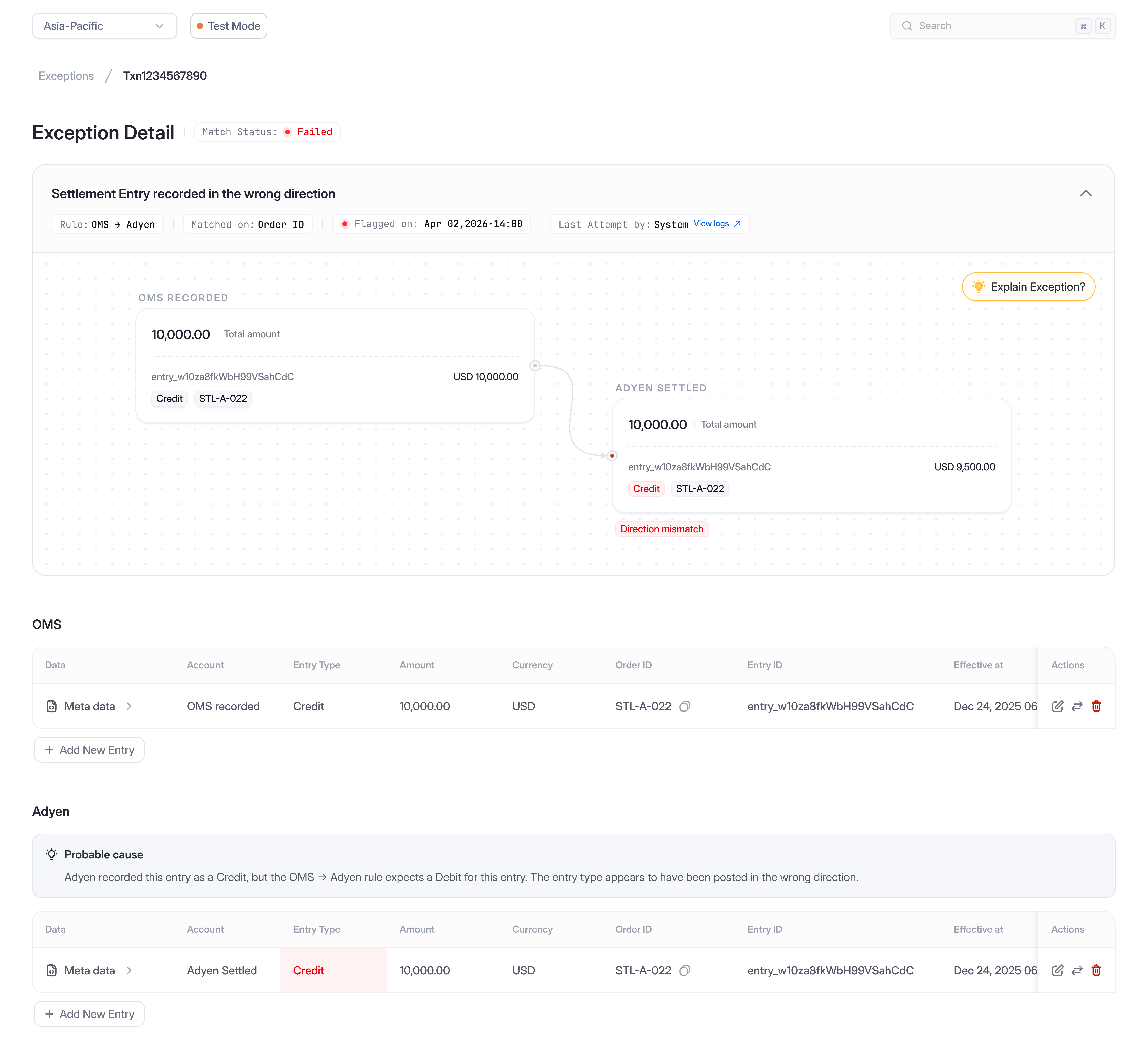
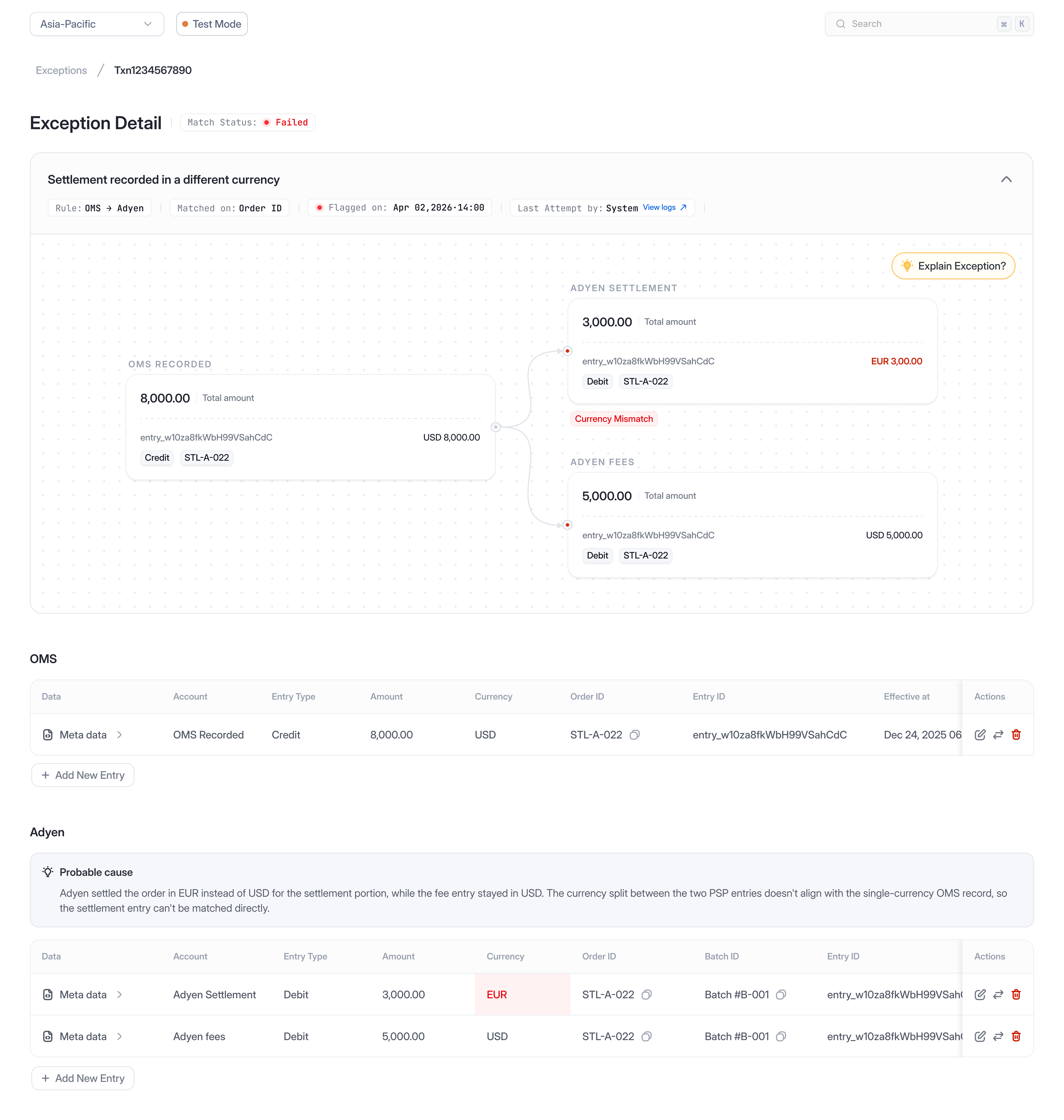
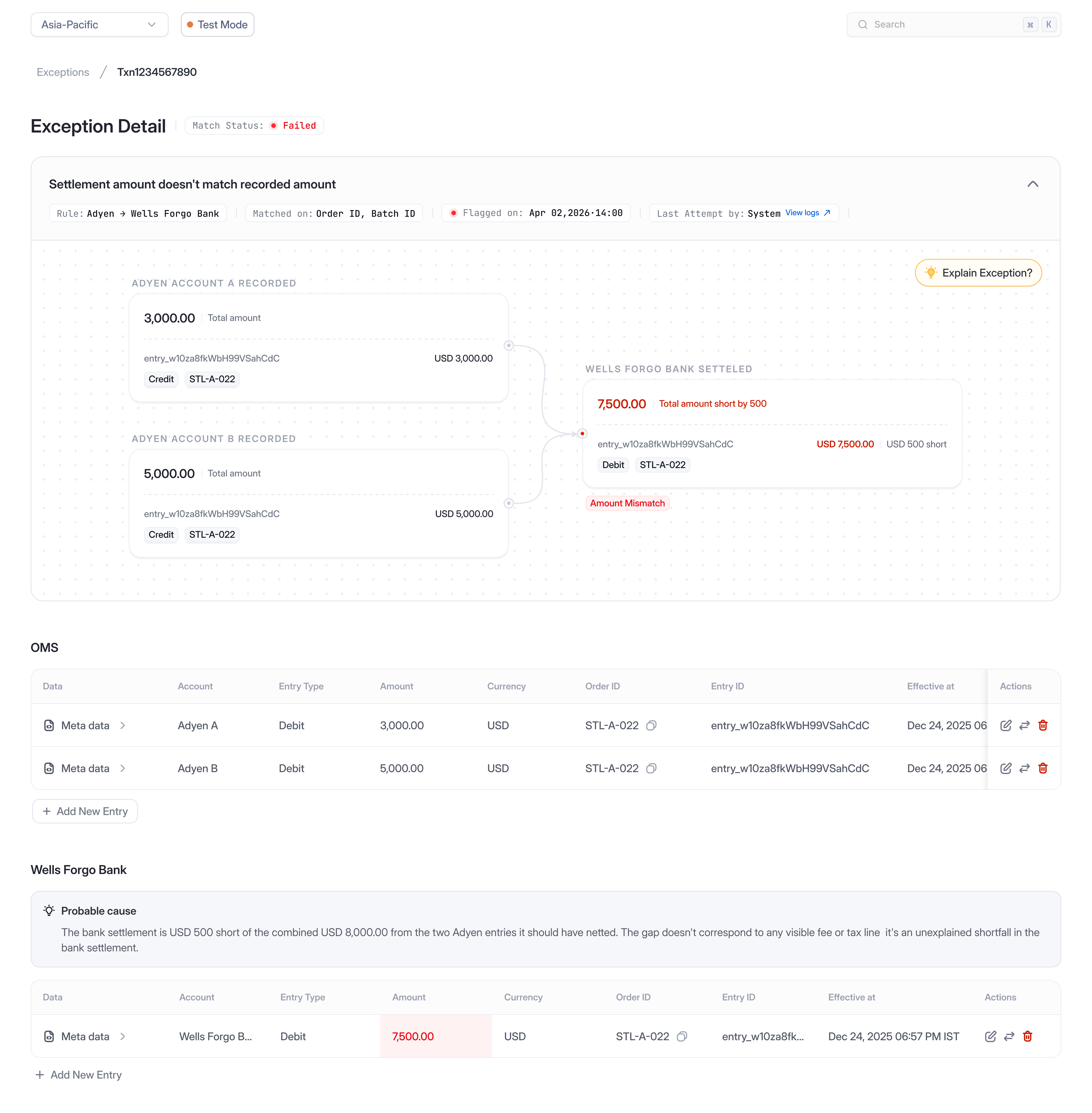
Regardless of how accounts and entries were connected underneath, analysts followed the same investigation experience, and the interface adapted to each topology while preserving a familiar workflow.

Browser chrome
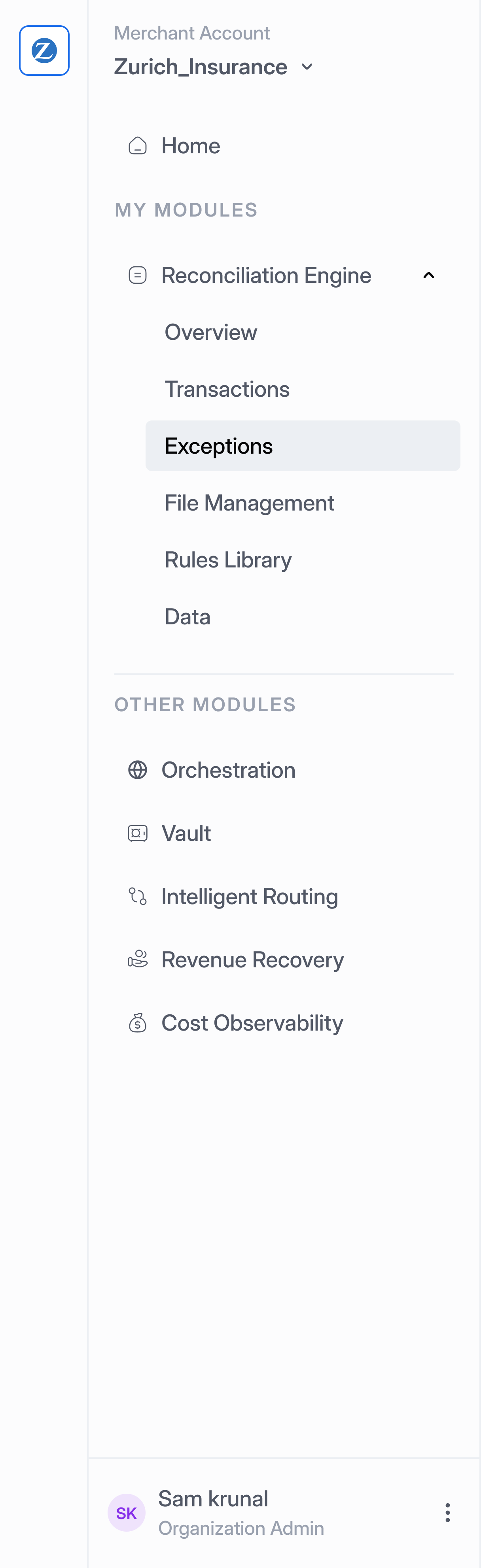
Navigation sidebar
One-to-One exception detail
Browser chrome
Navigation sidebar
One-to-Many exception detail
Browser chrome
Navigation sidebar
Many-to-One exception detail
Browser chrome
Navigation sidebar
Many-to-Many exception detail
Browser chrome
Navigation sidebar
One-to-One and Many-to-Many exception detail
One to One
Click to flip
Take action

Make resolution obvious

Once the discrepancy was understood, the interface surfaced only the actions relevant to that exception, allowing analysts to resolve issues without leaving the investigation.

Edit an entry

Update incorrect values directly within the investigation.

Add a missing entry

Create the missing record and restore the expected relationship.

Swap the match

Move an entry to the transaction where it belongs.

Ignore an entry

Remove entries that shouldn't participate in reconciliation.


Thanks for following along.